

Location

No.542/2, Peradeniya Road, Kandy

Call Us

0812239089

Email

contact@lclcampus.com

IT Division

Certificate in Drafting & AutoCAD

  • Overview
  • Course Outline
  • Course Content
  • Entry Requirements
  • Teaching Methodology

The Certificate in Drafting & AutoCAD is a specialized course designed to develop essential skills in computer-aided drafting and design, focusing on 2D drawing and 3D modeling. This program equips students with the technical expertise to efficiently use AutoCAD and related tools for civil engineering design and other professional drafting applications. It is ideal for professionals and students looking to build their careers in engineering, architecture, and design.

Introduction to Engineering

  •  Basics of engineering design and drafting.

Introduction to AutoCAD

  • Overview of AutoCAD workspace and capabilities.

AutoCAD Workspace and Tools

  • Coordinate systems and drawing fundamentals.
  • Setting units and precision.

Drafting Tools and Layers

  • General CAD tools and layer management.
  • Modification tools and selection methods.

Advanced Drawing Techniques

  • Hatching and pattern creation.
  • Dimensioning and annotations.
  • Creating and managing blocks.

Standard Engineering Drawings

  • Organization of tools for professional drafting.
  • Plotting and printing techniques.

Isometric and 3D Modeling

  • Basics of isometric drawing.
  • Introduction to 3D modeling and rendering.
  • Drawing Entities
  • Modifying Commands
  • Annotating Drawings (Text & Dimensioning)
  • Parametric Drawing (Using Dimensional & Geometrical Constraints)
  • Using Layers to Effectively Organize the Drawing Entities
  • Assigning Object Properties Through Layers
  • Hatching Utilities
  • Using Blocks, Tool Palettes & Design Centre
  • Increasing Productivity using Dynamic Blocks, Attributed Blocks, External References, OLE, etc.
  • Preparing & Managing Layouts
  • Creating & Using Title Blocks, Templates
  • Plotting with Plot Styles
  • 3D Modeling (Wireframe Models, Surface Models & Solid Models)
  • Use of Improved User Interface Features (Workspaces & Dashboard)
  • Solid Free-Form Design (Mesh Editing)
  • Generating 2D Drawings from the 3D Model
  • Producing Photo Realistic Perspective Images with Materials & Lighting
  • Setting 3D Views
  • Basic computer literacy.
  • Interest or background in engineering, architecture, or related fields.
  • Interactive sessions with hands-on practice.
  • Real-world drafting projects to build portfolio-ready skills.
  • Experienced instructors with industry expertise.

Entry Requirements

  • Basic computer literacy.
  • Interest or background in engineering, architecture, or related fields.

Teaching Methodology

  • Interactive sessions with hands-on practice.
  • Real-world drafting projects to build portfolio-ready skills.
  • Experienced instructors with industry expertise.

Program Details

  • Duration: 3 months

Medium of Instruction

  • English / Sinhala

Course outline

Introduction to Engineering

  • Basics of engineering design and drafting.

Introduction to AutoCAD

  • Overview of AutoCAD workspace and capabilities.

AutoCAD Workspace and Tools

  • Coordinate systems and drawing fundamentals.
  • Setting units and precision.

Drafting Tools and Layers

  • General CAD tools and layer management.
  • Modification tools and selection methods.

Advanced Drawing Techniques

  • Hatching and pattern creation.
  • Dimensioning and annotations.
  • Creating and managing blocks.

Standard Engineering Drawings

  • Organization of tools for professional drafting.
  • Plotting and printing techniques.

Isometric and 3D Modeling

  • Basics of isometric drawing.
  • Introduction to 3D modeling and rendering.

Course Content

  • Drawing Entities
  • Modifying Commands
  • Annotating Drawings (Text & Dimensioning)
  • Parametric Drawing (Using Dimensional & Geometrical Constraints)
  • Using Layers to Effectively Organize the Drawing Entities
  • Assigning Object Properties Through Layers
  • Hatching Utilities
  • Using Blocks, Tool Palettes & Design Centre
  • Increasing Productivity using Dynamic Blocks, Attributed Blocks, External References, OLE, etc.
  • Preparing & Managing Layouts
  • Creating & Using Title Blocks, Templates
  • Plotting with Plot Styles
  • 3D Modeling (Wireframe Models, Surface Models & Solid Models)
  • Use of Improved User Interface Features (Workspaces & Dashboard)
  • Solid Free-Form Design (Mesh Editing)
  • Generating 2D Drawings from the 3D Model
  • Producing Photo Realistic Perspective Images with Materials & Lighting
  • Setting 3D Views

Program Details

  • Duration: 3 months

  • Medium of Instruction : English / Sinhala

Schedule

  • Flexible schedule: Weekday or Weekend batches available

Fees and Payment Plans

  • Registration Fee : Rs. 2000
  • Course Fee : Rs. 40,000/=

Flexible payment options available upon request.

Assessments and Evaluation

  • Regular practical assignments.
  • Final project demonstrating drafting and 3D modeling skills.

Recognition

Graduates will receive a Certificate in Drafting & AutoCAD, recognized by industry professionals and employers in engineering and design sectors.

Frequently Asked Questions (FAQs)

Do I need prior experience with AutoCAD?

No prior experience is necessary; this course starts with the basics.

Yes, the flexible schedule is designed to accommodate working individuals.

Yes, a recognized certificate will be awarded upon successful completion.

Yes, flexible installment plans are available.

Visit the LCL Campus office or contact us through our website to enroll.

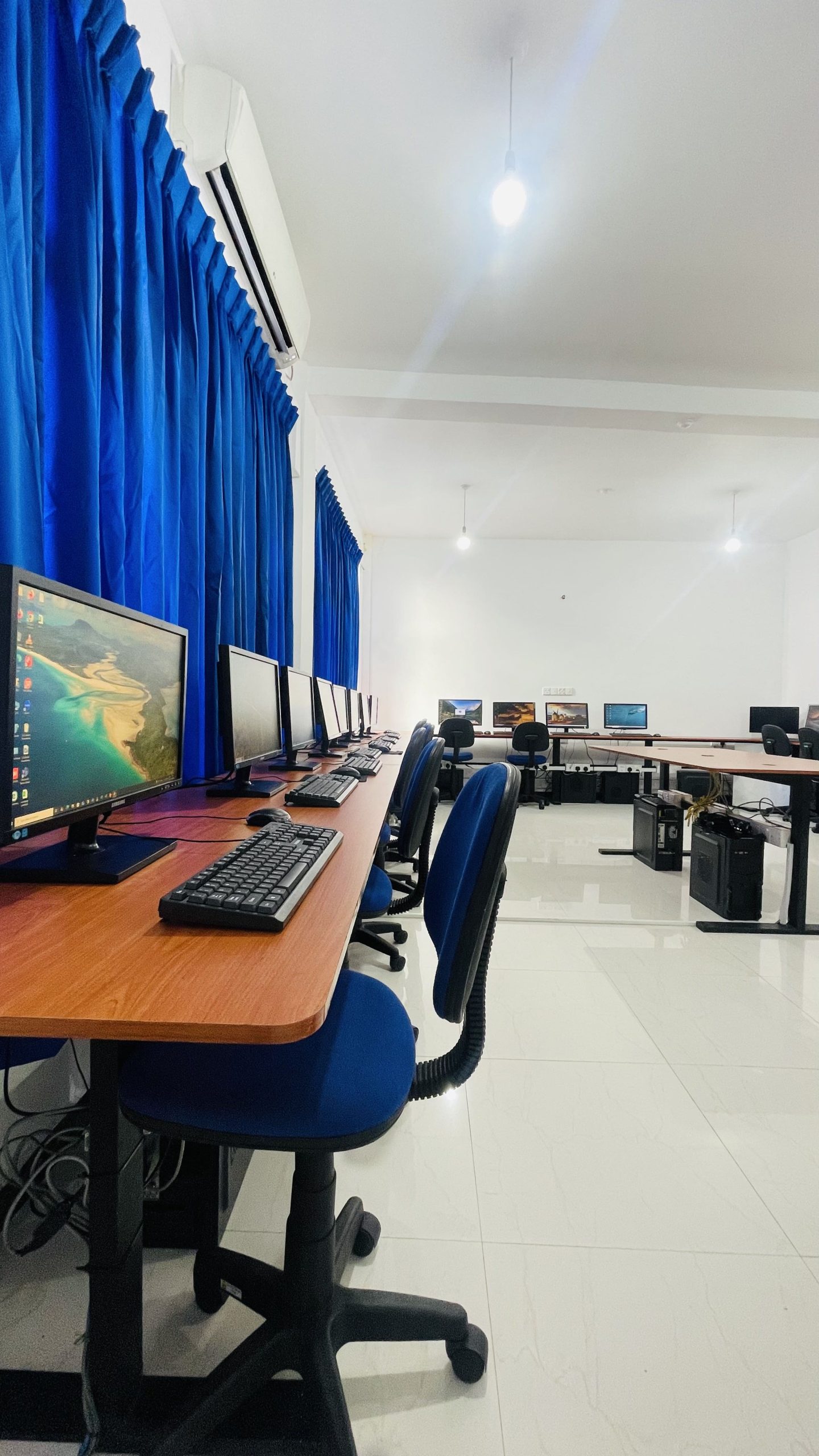
CLASSROOM 05

CLASSROOM 03

CLASSROOM 02

CLASSROOM 01